Published April 21, 2026
Best Chatbot Plugins for Websites in 2026
6 min read

Amandine Cami
Commercial Director

Table of contents
Have questions or want a demo?
We're here to help! Click the button below and we'll be in touch.
Get a Demo
AI Summary by QAnswer
Adding the right chatbot plugin to your website can be one of the highest-ROI decisions you make this year. Visitors expect instant answers, round-the-clock availability, and personalised interactions — and a well-chosen chatbot plugin for your website delivers all three without expanding your support headcount.
In this guide we compare the top chatbot plugins available in 2026, break down which features actually matter, and help you choose the solution that best fits your organisation's needs.
What Is a Chatbot Plugin for a Website?
A chatbot plugin is a software component that embeds a conversational AI assistant directly into your website. Visitors type questions and receive accurate, instant replies — without waiting for a human agent. Modern chatbot plugins go far beyond FAQ bots: they understand natural language, integrate with your CRM and help-desk, and can be trained on your proprietary content.
Why Every Business Website Needs a Chatbot Plugin in 2026
Customer expectations have risen sharply. According to Salesforce's State of the Connected Customer report, 78% of customers expect to interact with a company immediately when they make contact. Without automation, that is impossible to sustain at scale.
- 24/7 availability — Capture leads and answer support questions even outside business hours.
- Lower support costs — AI chatbots can deflect 60–80% of routine enquiries without human intervention.
- Higher conversion rates — Engaged visitors convert at up to 3× the rate of those who browse passively.
- Richer data collection — Every conversation reveals what your customers are searching for.
- Multilingual reach — Serve a global audience without staffing a multilingual support team.
Key Features to Evaluate in a Website Chatbot Plugin
Natural Language Understanding
The plugin must understand intent, not just keywords. A bot that fails to grasp context frustrates users and damages trust. Look for solutions built on modern large language models (LLMs) with robust natural language processing.
Custom Knowledge Base Integration
Generic chatbots answer from pre-trained data that has nothing to do with your company. The best chatbot plugins let you connect your own documents, FAQs, product manuals, and databases — so every answer is accurate and on-brand.
Data Privacy and Security
If your organisation operates in finance, healthcare, legal, or the public sector, data sovereignty is non-negotiable. Look for GDPR compliance, ISO 27001 certification, and ideally an on-premise deployment option so your data never leaves your infrastructure.
Multi-Channel Deployment
A single knowledge base should power your website widget, your Slack bot, your Teams integration, and your WhatsApp channel. Maintaining separate bots for each channel is inefficient and leads to inconsistent answers.
Analytics and Feedback Loops
You cannot improve what you cannot measure. Look for conversation logs, unanswered-question reports, CSAT scoring, and the ability to refine responses based on real usage data.
Top Chatbot Plugins for Websites in 2026
QAnswer — Best for Enterprise Knowledge Grounding
QAnswer is a secure, sovereign AI platform purpose-built for enterprises that need accurate, grounded answers from internal knowledge. Unlike generic chatbot plugins, QAnswer connects directly to your data sources — SharePoint, Confluence, PDFs, SQL databases, APIs — and builds a fully trained assistant that cites its sources.
Best for: Enterprises, regulated industries, multilingual organisations.
Standout features: ISO 27001 certified, on-premise deployment, 100+ data connectors, 30+ languages.
Intercom — Best for SaaS Customer Engagement
Intercom combines live chat, AI bots, and product tours in a unified platform. Its Fin AI agent is capable but relies on third-party LLM providers, which raises data-privacy concerns for regulated sectors.
Drift (Salesloft) — Best for B2B Pipeline Generation
Drift focuses on conversational marketing — qualifying inbound visitors and routing them to sales reps via ABM playbooks. Powerful for enterprise sales, but expensive and complex to implement.
Tidio — Best Value for Small Businesses
Tidio offers an affordable chatbot and live chat bundle that deploys quickly on WordPress, Shopify, and Wix. It lacks enterprise-grade security and deep knowledge ingestion, but it is a cost-effective starting point for SMBs.
Zendesk Answer Bot — Best for Existing Zendesk Users
If your support stack already runs on Zendesk, the Answer Bot is a logical extension. Integration is seamless, but it offers limited value outside the Zendesk ecosystem.
Chatbot Plugin Comparison
| Plugin | Best For | On-Premise | Custom Knowledge Base |
|---|---|---|---|
| QAnswer | Enterprise, regulated sectors | ✅ | ✅ (100+ sources) |
| Intercom | SaaS support | ❌ | Partial |
| Drift | B2B lead gen | ❌ | Partial |
| Tidio | SMB | ❌ | Limited |
| Zendesk | Existing Zendesk users | ❌ | Partial |
How to Install a Chatbot Plugin on Any Website
- Sign up on your chosen platform and create a new assistant.
- Connect your data sources — website URLs, PDFs, FAQs, internal documentation.
- Configure the widget — set the welcome message, colour theme, and response tone.
- Copy the embed snippet and paste it before the closing body tag of your site.
- Test thoroughly — run through your most common questions in a staging environment.
- Go live and monitor — review unanswered questions weekly and update your knowledge base.
Common Chatbot Plugin Mistakes to Avoid
- Launching with an empty knowledge base — a bot with no training data will frustrate every visitor.
- No escalation path to a human agent — always provide a clear route for complex queries.
- Ignoring mobile optimisation — over 60% of web traffic is mobile; your widget must work flawlessly on small screens.
- Neglecting multilingual users — if your audience is international, your chatbot should respond in their language.
- Set-and-forget mentality — review conversation logs at least monthly and keep your knowledge base current.
How QAnswer Solves the Chatbot Plugin Challenge for Enterprises
Most chatbot plugins are built for simplicity, not accuracy or security. QAnswer takes a different approach: it is designed from the ground up to give enterprises a chatbot plugin they can trust. Here is what sets QAnswer apart:
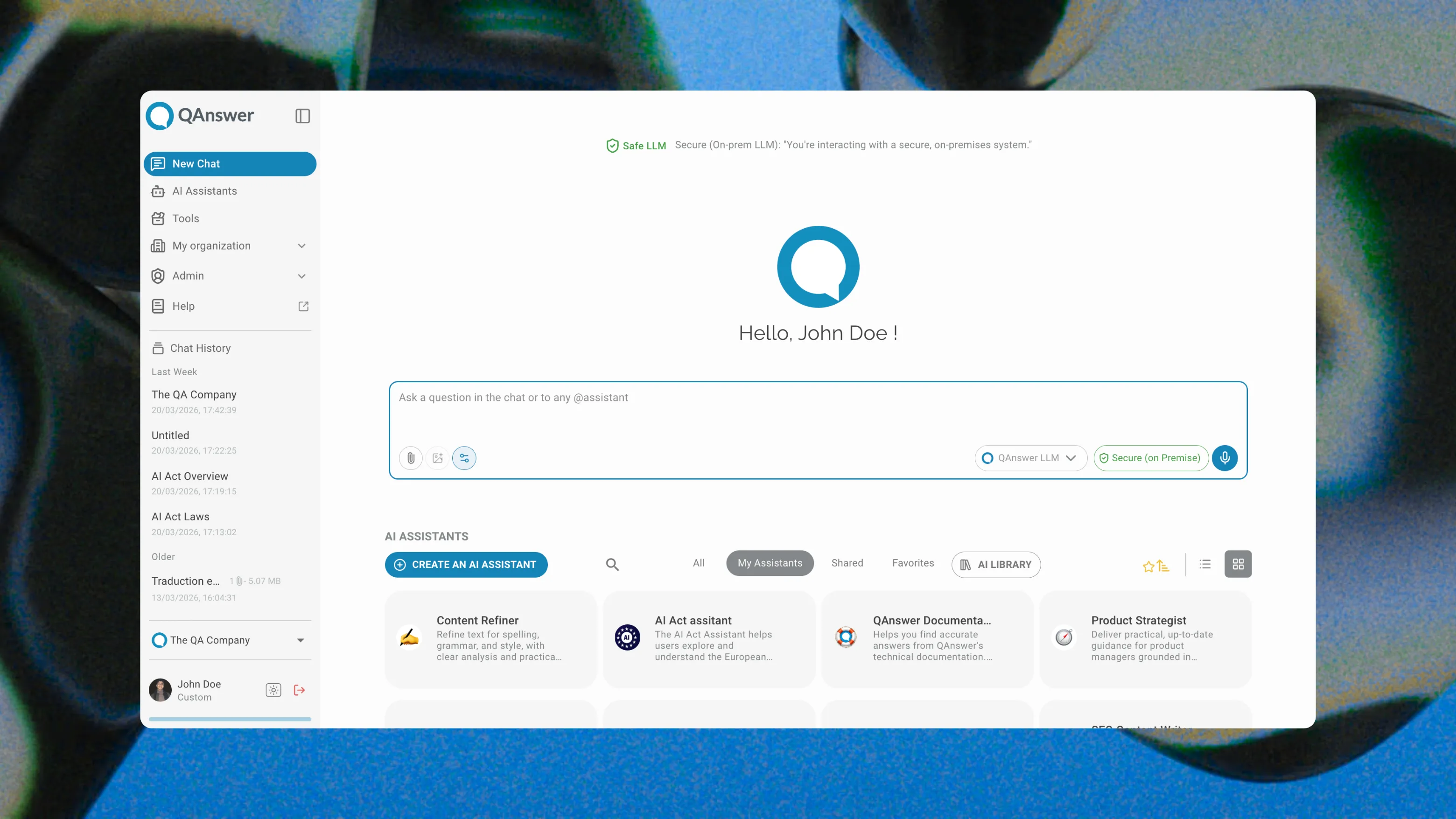
- Answer grounding with citations — Every response is drawn from your connected data sources and includes a source reference so users can verify the answer.
- Sovereign deployment — Deploy QAnswer entirely on your own infrastructure. Your data never reaches a third-party LLM provider.
- 100+ integrations — Connect SharePoint, Confluence, Google Drive, Notion, custom databases, and REST APIs. When your data updates, the bot updates automatically.
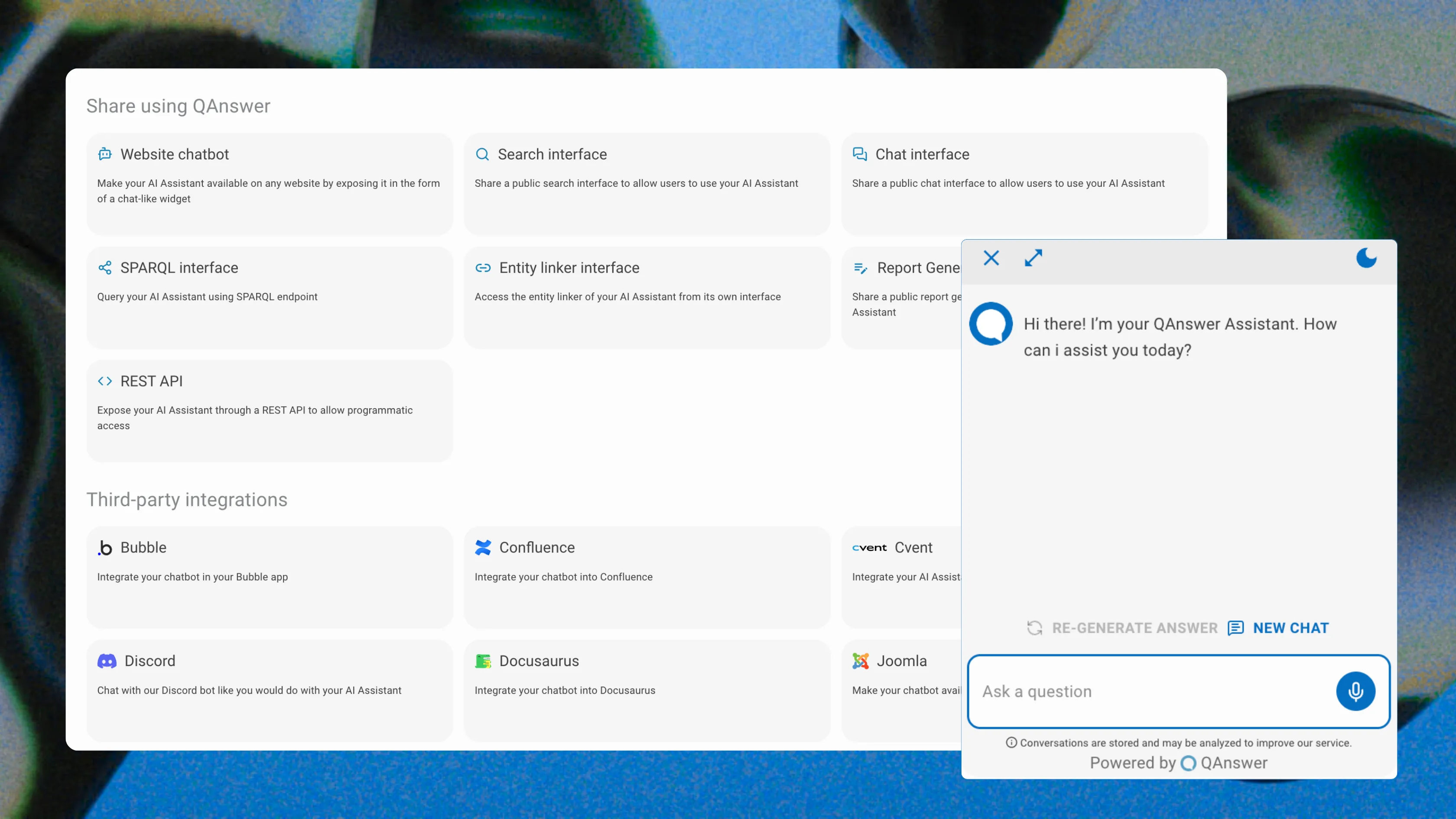
- No-code widget embedding — Add QAnswer to WordPress, Webflow, Wix, or any custom-built site with a single JavaScript snippet.
- Enterprise SLA and support — ISO 27001 certified with dedicated onboarding and SLA-backed uptime.
Conclusion
The best chatbot plugin for your website depends on the complexity of your content, the sensitivity of your data, and how deeply you need the bot to integrate with your existing tools. For enterprises that require accuracy, sovereignty, and deep knowledge integration, QAnswer is the clear choice.
Ready to add a powerful, secure chatbot to your website? Request a personalised QAnswer demo and go from zero to a fully trained AI assistant in days — not months.
Back to Blog
The AI platform that works.
Try for free today