
Published April 21, 2026
How to Build an AI Agent: Step-by-Step Guide for 2026
6 min read

Amandine Cami
Commercial Director

Table of contents
Have questions or want a demo?
We're here to help! Click the button below and we'll be in touch.
Get a Demo
AI Summary by QAnswer
Building an AI agent is one of the most impactful investments an engineering or product team can make in 2026. Unlike simple chatbots that answer single questions, AI agents plan across multiple steps, use tools, query databases, and take actions in external systems — all driven by natural language instructions. If you are still deciding on your approach, start with agentic AI vs generative AI to understand the key differences.
This step-by-step guide walks you through everything you need to build a production-ready AI agent: from architecture choices and knowledge integration, to safety controls and deployment strategies.
What Is an AI Agent?
An AI agent is a software system that combines a large language model (LLM) with a set of tools and a planning loop that enables it to pursue goals across multiple steps. Key components:
- LLM core — the reasoning engine that understands language, plans steps, and generates responses
- Tool registry — APIs, database connectors, web search, code execution, file readers
- Memory — short-term (conversation context) and long-term (stored knowledge and user history)
- Orchestration loop — the control logic that decides which tool to call, evaluates the result, and determines the next step
Step 1: Define the Agent's Scope and Goals
The most common failure in AI agent projects is scope creep. Before writing a single line of code, define precisely:
- What problem does the agent solve? Be specific: "answer customer support questions about billing" is better than "help with support."
- What actions can it take? List every tool it will have access to and every system it can write to.
- What are the hard limits? Specify what the agent should never do — delete records, send external emails without approval, access PII beyond defined fields.
- Who is the user? Internal employee, external customer, or another AI system in a multi-agent pipeline?
Step 2: Choose Your LLM and Architecture
Selecting the Right LLM
Your choice of LLM affects accuracy, cost, latency, and — critically for regulated organisations — data privacy. Options include:
- OpenAI GPT-4o / GPT-4.1 — Strong general capability; data processed on OpenAI's servers.
- Anthropic Claude 3.7 — Strong reasoning and instruction-following; similar cloud-only constraint.
- Meta Llama 4 — Open-weight model deployable on your own infrastructure; excellent for sovereign deployments.
- Mistral — European-hosted option with GDPR-friendly deployment and strong multilingual performance.
Single-Agent vs Multi-Agent Architecture
For most initial deployments, a single agent with a well-defined toolset is simpler to build, debug, and govern. Multi-agent architectures (where specialised agents collaborate on complex tasks) offer more power but require careful orchestration and conflict-resolution logic.
Step 3: Build and Connect the Knowledge Base
An AI agent is only as good as the knowledge it has access to. A grounded knowledge base prevents hallucination and ensures answers are based on verified, up-to-date internal content.
- Audit your knowledge sources — identify where your most important content lives: SharePoint, Confluence, PDFs, SQL databases, REST APIs.
- Set up a retrieval pipeline (RAG) — index your content into a vector database so the agent retrieves relevant passages at query time.
- Configure chunking and metadata — chunk documents into semantically coherent units and add metadata (source, date, department) to enable precise filtering.
- Establish a re-indexing schedule — knowledge bases decay. Set up automated re-indexing whenever source documents are updated.
Step 4: Implement the Tool Registry
Tools are how an agent interacts with the world. Each tool is a function the LLM can call when it needs information or needs to take an action. Common tool categories:
- Knowledge retrieval — search the vector database, query a SQL table, fetch a document from SharePoint
- External API calls — check order status in an ERP, look up a customer record in a CRM
- Code execution — run calculations, process files, generate charts
- Communication — create a ticket, post to Slack (with appropriate approval gates)
Define each tool with a clear name, description, and parameter schema. The LLM uses these descriptions to decide which tool to call and when.
Step 5: Implement Safety and Governance Controls
AI agents that take actions require careful safety design. Implement these controls before deploying to production:
- Human-in-the-loop checkpoints for irreversible actions (sending emails, deleting records, financial transactions)
- Minimal permissions — each tool should have only the access it needs for its defined purpose
- Rate limiting — prevent runaway loops by capping tool calls per session
- Hallucination detection — use RAG-grounded responses and require the agent to cite sources for factual claims. Understanding LLM non-determinism will help you tune for more consistent outputs.
- Full audit logging — record every tool call, its inputs, and its outputs
Step 6: Test, Evaluate, and Iterate
AI agent testing requires more than unit tests. Evaluate agent behaviour across diverse realistic scenarios:
- Golden set evaluation — a curated set of test queries with known correct answers; measure accuracy, completeness, and citation quality
- Adversarial testing — try to confuse the agent with ambiguous, contradictory, or off-topic inputs
- Edge case coverage — test what happens when a tool returns an error or the knowledge base has no relevant content
- Load testing — validate that latency and accuracy hold under production-level concurrent usage
Step 7: Deploy and Monitor
Deployment is not the finish line — it is the start of the improvement cycle. In production:
- Monitor conversation logs for unanswered or poorly answered questions
- Track escalation rate and first-contact resolution
- Review tool call patterns for unexpected behaviour
- Collect user feedback and use it to refine the knowledge base and system prompts
How QAnswer Accelerates AI Agent Development
Building a production-grade AI agent from scratch requires months of engineering effort across RAG infrastructure, tool integration, safety controls, and monitoring. QAnswer provides that infrastructure as a platform, so your team focuses on agent logic and business value — not plumbing. If you are evaluating external partners, read our guide on choosing an AI agent development company.
- Pre-built RAG pipeline — document ingestion, vector indexing, and retrieval handled out of the box. Connect a data source and your agent has grounded knowledge within minutes.
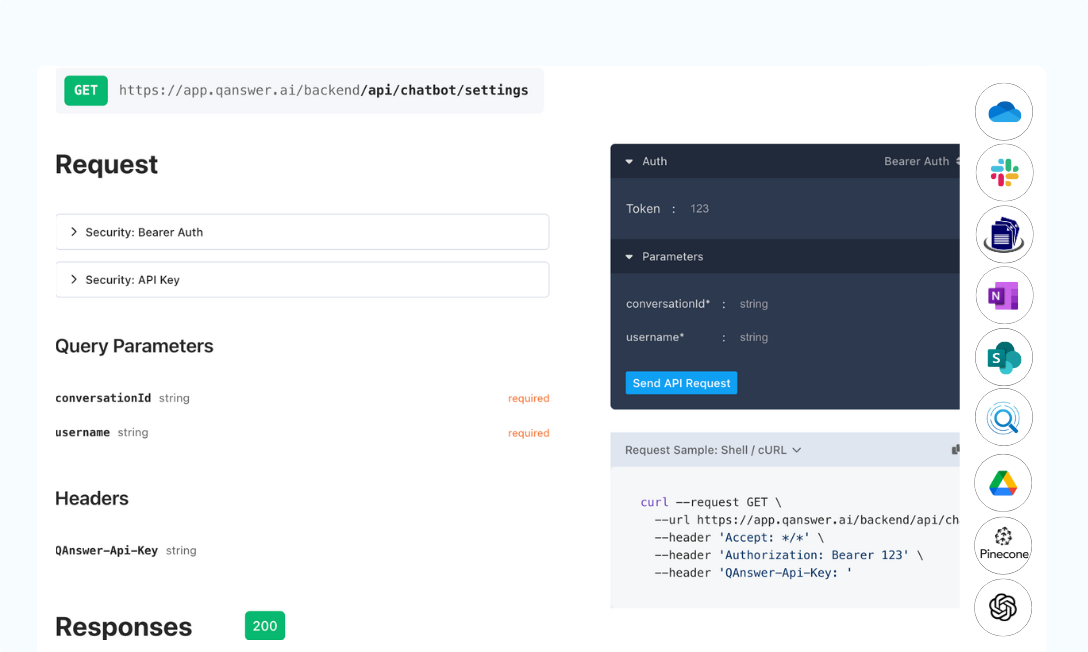
- 100+ data source connectors — SharePoint, Confluence, Google Drive, SQL, REST APIs, Notion, and more — with automatic re-indexing when content changes.
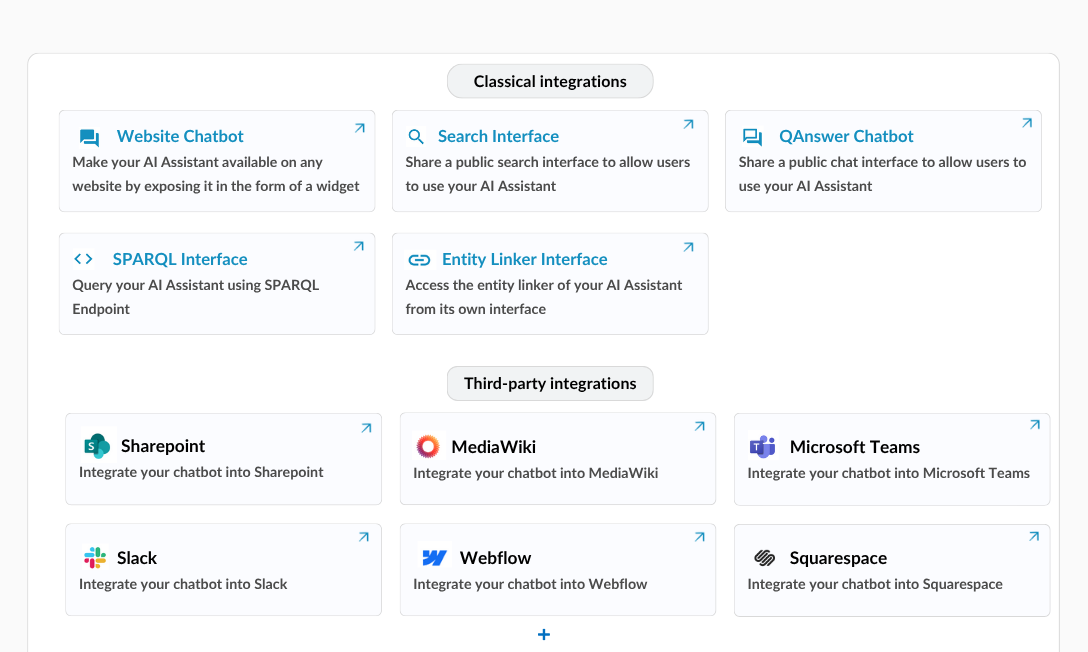
- Multi-channel deployment — deploy the same agent on your website, Microsoft Teams, Slack, WhatsApp, or via REST API without duplicating configuration.
- Sovereign infrastructure — full on-premise and private cloud deployment. ISO 27001 certified. Your data stays in your environment.
- Built-in monitoring and logs — conversation analytics, unanswered question tracking, and feedback collection included from day one.
Conclusion
Building an AI agent that delivers real business value requires careful architecture, robust knowledge integration, and rigorous safety controls. The organisations that get this right in 2026 will operate with a significant and compounding advantage over those that do not.
Ready to build your first production AI agent? Talk to the QAnswer team — and see how fast you can go from data source to deployed agent.
Back to Blog
The AI platform that works.
Try for free today